
Product Support
You’ve got your pen and now you’re eager to start scanning. To make sure you get the absolute best from your scanning companion, click your chosen device below and get the dedicated support you need.
Also, if you want to chat, don’t forget we also have some helpful humans on hand to answer any questions you have in the LiveChat box.


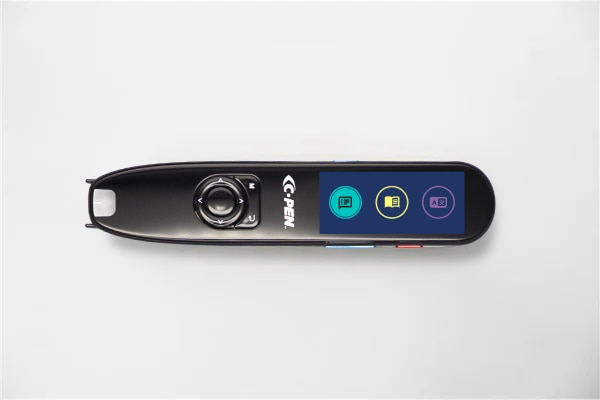
C-Pen Reader 3
Download the User Guide for this product.
User guide
C-Pen Reader 3 is a reading pen that takes literacy seriously. With a wealth of new features to enhance accessibility and support users as they practice.
DownloadC-Pen Reader 3 FAQs

Can I upgrade my reading pen to the latest software?
Yes, you can easily upgrade the firmware on your reading pen. Just connect your device to the internet and receive automatic updates as soon as they are available.
Can these pens scan and read mathematical symbols?
The range of symbols and mathematical abbreviations is appropriate for learners up to a Year 9 average, but we typically recommend avoiding using these pens with symbols. Reading pens are best used to support with the understanding of test questions and written instructions.
How many languages does Reader 3 support?
C-Pen Reader 3 has 5 built-in reading languages that can be used offline to read (English, French, Spanish, Italian, and German). These languages can translate to and from English with 40+ languages accessible for translation any direction when you connect online.
Here is a full list of the current languages available when connected online: Afrikaans, Arabic, Basque, Bulgarian, Cantonese, Catalan, Czech, Danish, Dutch (Belgium), Dutch (Netherlands), English (Australia), English (India), English (United Kingdom), English (United States), Filipino, Finnish, French (Canada), French (France), Galician, German, Greek, Hebrew, Hindi, Hungarian, Indonesian, Italian, Japanese, Kannada, Korean, Latvian, Lithuanian, Malay, Mandarin (China), Mandarin (Taiwan), Norwegian Bokmål, Polish, Portuguese (Brazil), Portuguese (Portugal), Romanian, Russian, Serbian, Slovak, Spanish (Spain), Spanish (United States), Swedish, Turkish, Ukrainian.
What can I read with Reader 3?
Our pen scanners can tackle text between font sizes 7 – 22, and in most standard fonts that you’d see used in printed materials. It can’t scan text on digital screens, or text on low-contrast backgrounds, so this might impact your scanning if you’re reading from coloured paper.
Where can I get more information and support?
For queries, support requests, more information about your reading pen, or access to our FREE education resources, please visit us at www.scanningpens.co.uk.